Air Ventilator Medical Machine Embroidery Review
First Look at the Logo Design
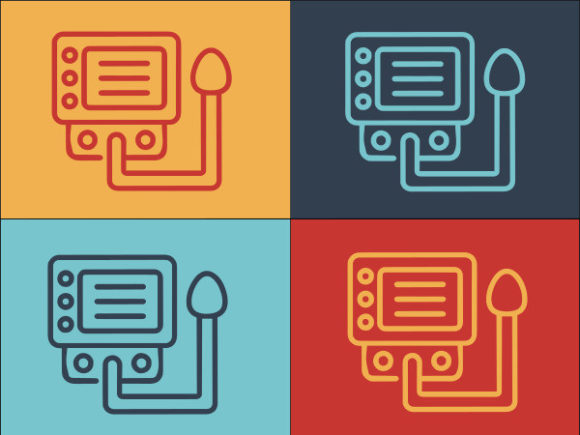
When I downloaded the Air Ventilator Medical Machine graphic, I immediately saw a logo that leans into clean, modern medical branding without feeling cold or overly clinical. The lines are sharp, the proportions feel balanced, and there’s a gentle curve to the ventilator symbol that softens the whole composition. It’s the kind of mark that would sit comfortably on a lab coat, a scrub pocket, or a boutique tote bag for a respiratory therapist.
What struck me most was the versatility. The design is listed under Logos and Graphics, and I can see why. It’s not a pre-digitized embroidery file, but a vector graphic that you can scale, recolor, and adapt before you ever touch a digitizing tool. For an embroidery designer, that’s a strong starting point—you get a visual blueprint that’s already refined, not a rough sketch you have to fight with.
The mood is professional yet approachable. The air ventilator icon avoids overcomplicated medical imagery and instead uses a stylized, almost abstract representation of airflow. That keeps the design from looking dated or overly technical, which is a real advantage when you’re stitching it onto a gift like a personalized pillow cover for a nurse or a custom apron for a small clinic.
Real-World Embroidery Thinking: A Tote Bag for a Respiratory Equipment Brand
To test how this design holds up in a real project, I imagined a client who runs a small business selling portable medical devices. They wanted a set of embroidered tote bags for a trade show giveaway. The Air Ventilator Medical Machine logo would sit on the front pocket, stitched in two shades of teal on a natural canvas fabric.
Right away, I started thinking about stitch density and hoop size. The ventilator icon has a few thin, curved strokes that represent airflow. If I digitize those as a simple running stitch with a single pass, they’ll feel delicate and might get lost on a textured fabric. But if I switch to a narrow satin stitch, I’ll get cleaner definition and a slight sheen that catches the light—perfect for a trade show item where the logo needs to be noticed from a short distance. The text portion, if included, would need careful lettering digitizing; the original SVG is smooth and scalable, but embroidery lettering under a quarter inch tall can turn into a muddy mess. I’d likely keep the text block at least 0.4 inches tall and use a tight fill stitch with a light underlay to keep the edges crisp on the canvas weave.
I also considered the fact that tote bags often get folded and crushed. The ventilator symbol’s open curves could pucker if the stabilizer isn’t right. A medium-weight cutaway stabilizer would be my go-to here, and I’d run a test stitchout on a scrap of similar canvas before committing to the final batch.
How the Design Feels on Different Products
When you’re evaluating a design like Air Ventilator Medical Machine for embroidery, you don’t just look at the screen—you mentally stitch it onto a dozen products. I played through that exercise, and here’s where it landed well:
- Sweatshirts and hoodies: The modern, slightly geometric logo sits naturally on the left chest. It’s not too large, so it won’t feel like a billboard, and the airy ventilator symbol contrasts nicely with the heavy fabric.
- Baby onesies and kids’ apparel: You might not think “medical machine” for baby items, but I’ve seen personalized gifts for NICU nurses or respiratory therapist parents. The gentle curves make it suitable for a soft, pastel thread palette on a tiny lap shoulder tee.
- Embroidered patches: If you digitize it with a border, this design becomes a sleek patch for a lab coat or a scrub cap. The ventilator icon is recognizable even at a small scale, which is a big plus for patch makers.
- Kitchen towels and aprons: For a medical-themed gift basket, stitching this logo on a tea towel or a half-apron feels clever, not forced. The design stays clean and doesn’t fight with the fabric’s texture.
But I’d be cautious with curved surfaces like caps. The ventilator symbol has a horizontal flow that could warp on a highly curved cap front. If you’re going that route, test the digitized file on a cap hoop and consider rotating the design slightly to follow the seam, or use a flatter profile cap. Small details in the airflow curves might need to be simplified to avoid registration issues on unstructured caps.
Fabric and Color Considerations
One of the first things I do when reviewing a design asset is to mentally test it on dark fabric and light fabric. The Air Ventilator Medical Machine logo relies on delicate lines and negative space. On a white or cream background, the ventilator icon reads clearly. But on a navy or black sweatshirt, those thin airflow curves could disappear if you use a single-pass running stitch. I’d recommend either bumping up the stitch width slightly for dark fabrics or using a very light thread color—maybe a soft mint or silver—to create contrast without losing the elegance.
Texture matters too. On a terry cloth towel or a waffle weave blanket, the logo’s fine details will sink into the pile. For those products, I’d enlarge the design slightly and use a heavier underlay, or I’d steer the client toward a smoother fabric. Similarly, stretchy fabrics like performance tees require a firm backing and possibly a water-soluble topper to keep the stitches from tunneling.
Digitizing the Graphic: What to Watch
Since the product is delivered as an SVG file, it’s not a stitch file. You’ll need to digitize it yourself or send it to a digitizer. That’s not a drawback—it actually gives you full control over the final stitchout. But it does mean you need to inspect the artwork closely before you start mapping out stitches.
In my own digitizing software, I pulled up the SVG and immediately appreciated the clean paths. There were no stray anchor points or broken curves, so tracing the shapes for fill stitch areas was straightforward. The ventilator symbol’s inner curves are smooth, but I noticed a few narrow overlaps where two shapes meet. In embroidery, those tight intersections can cause thread buildup. I’d separate those elements into distinct objects and adjust the overlap to avoid a dense, rigid lump. I’d also run a stitch density check—the original graphic is meant for print, so a direct 1:1 conversion might pack too many stitches into a small area. I usually reduce density by about 10-15% from the default auto-digitize settings to keep the fabric soft and prevent puckering.
For the text, if the file includes a typeface, be aware that it may not be installed on your system. The SVG might have outlined the text, which is fine, but if it’s live text, you’ll need to convert it. I’d recommend choosing a similar sans-serif font that’s optimized for embroidery, with clear counters and no overly thin strokes.
Where This Design Shines in a Craft Business
If you’re an Etsy seller or a small shop owner who creates personalized medical gifts, the Air Ventilator Medical Machine logo is a smart design asset to have on hand. It doesn’t scream “hospital”; it feels more like a thoughtful, stylized emblem. That makes it adaptable for a range of products—from a simple embroidered tote bag for a respiratory therapist to a framed hoop art piece for a clinic’s waiting room.
For commercial embroidery projects, the design’s modern, versatile look means you can pitch it to multiple clients without it feeling repetitive. A pediatric medical office might want it on scrub caps; a home health equipment company might want it on polo shirts. Each time, you can adjust the thread colors and scale to fit the product, and the core design stays strong.
I also see this working well in printable mockups and digital product previews. Since it’s a clean vector, you can drop it into a mockup of a t-shirt or a tote bag and show a potential buyer exactly how the embroidered product will look. That kind of visual sells the finished product before you’ve even threaded the needle.
Things to Check Before You Stitch
No design review is complete without a reality checklist. I’ve been burned by assuming a graphic will stitch out perfectly, so I always run through these steps:
- Test on scrap fabric first, using the same stabilizer and thread you plan to use on the final product. The ventilator curves can look very different on a woven cotton versus a fleece.
- Check thread color contrast in daylight and under indoor lighting. A pale blue thread that looks perfect on screen might wash out on a light gray fabric.
- Inspect small details at actual size. The airflow lines might look clear in the SVG, but when you shrink the design to fit a 4x4 hoop, those lines could condense into a blob. Digitize them as separate, slightly wider stitches if needed.
- Confirm your hoop size. The description doesn’t specify a recommended size, so measure the design after you scale it. A left-chest logo typically needs to stay under 3.5 inches wide; a tote bag design can go larger.
- Review the licensing. The product page says “Logos” and “Graphics,” but doesn’t explicitly state commercial use terms for embroidery. I always check whether I can sell finished items with this design or if it’s for personal use only. Clarify that before you list products on Etsy or at a craft fair.
Final Stitch-Out Impression
After mentally walking through a full project, I’m confident that the Air Ventilator Medical Machine design has real potential for embroidery, provided you’re willing to invest a little time in digitizing with care. It’s not a plug-and-stitch embroidery file; it’s a graphic that asks you to think like a designer. But for those of us who enjoy the process of turning a clean vector into a dimensional, textured piece of thread art, that’s exactly what we want.
The ventilator symbol is elegant without being fragile, and the overall layout is adaptable enough to work across a range of handmade products. Whether you’re stitching a single personalized gift for a medical professional or running a batch of branded merchandise for a healthcare startup, this design will hold its own. Just remember: test stitch, adjust for fabric, and never trust a default digitize setting without a review.